Attributions
Overview
As part of the integration, Kard offers robust solutions for collecting user attribution data for in-app and mobile push notification touchpoints. These data points provide valuable insights into how users interact with your rewards program.
Attribution metrics are increasingly becoming a key requirement among merchants as Kard continues to partner with top-of-wallet, everyday-spend brands. By enabling user attribution data collection, you’ll unlock access to more premium offers and drive stronger engagement within your program, ultimately helping you deliver greater value to your users.
Event Types and Mediums
Event Types
Kard’s attribution system collects two event types:
-
Impressions: Occur anytime a resource (like an offer logo or notification) is loaded within your app experience.Example: When a user opens the rewards screen and offers are displayed — each offer loaded generates an
IMPRESSIONevent. See below for a visual representation of an impression event: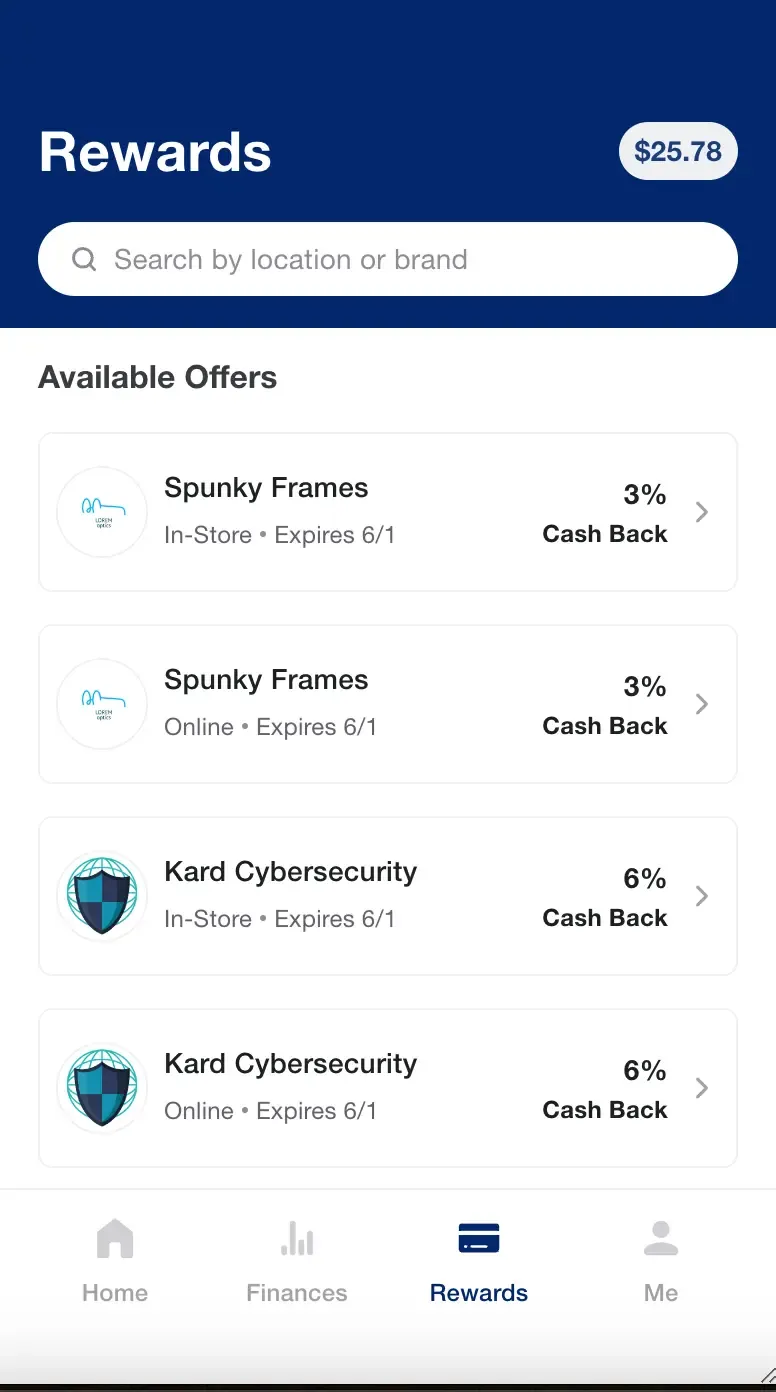
-
Views: Occur anytime a user acts to view a specific resource.Example: When a user clicks an offer to view its details, or taps on a push notification to open the rewards screen — this generates a
VIEWevent. See below for a visual representation of a view event: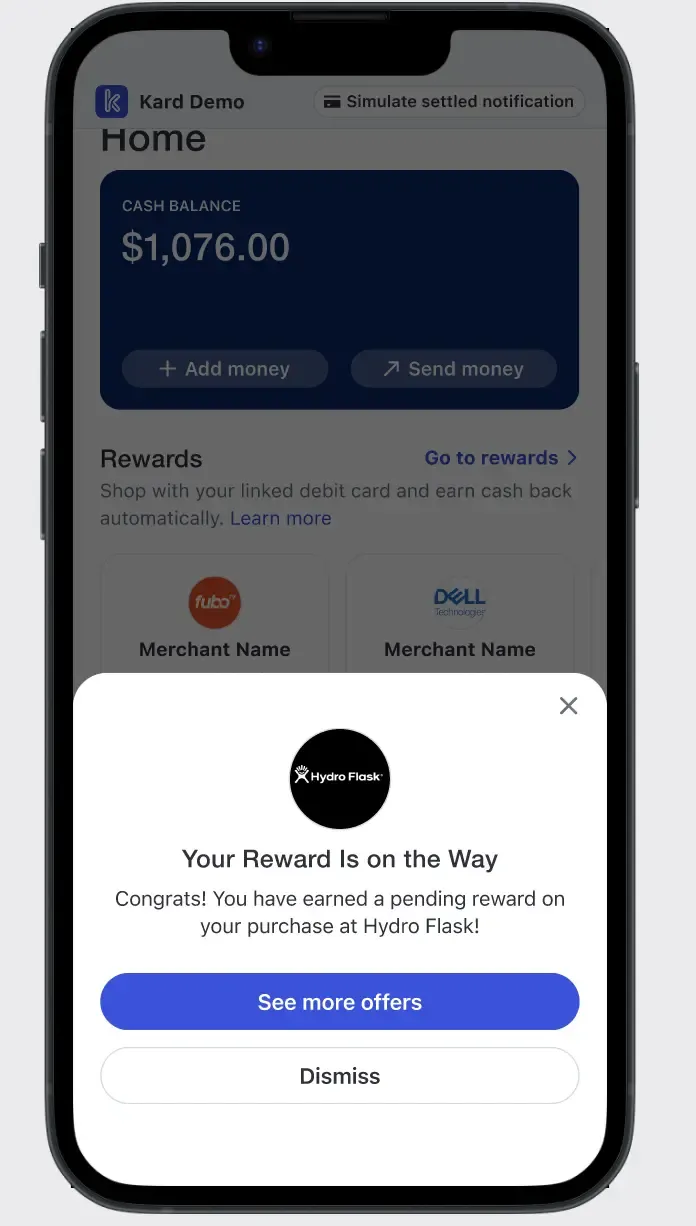
Mediums
Each event must include a medium field to describe where in your experience the event occurred.
Supported mediums:
BROWSE— User is viewing a list of offers in the rewards experience.MAP— User is exploring offers on a map view.SEARCH— User is viewing or clicking offers as part of a search experience.PUSH— Event occurred within a mobile push notification.
Implementation Methods
Kard supports two integration options for real-time attribution tracking. You may use either, but not both for the same event type:
- Event Tracking via Image URLs — Attribution tracking tokens are included with assets returned by Kard’s APIs and webhooks.
- Event Tracking via the Attribution API Endpoint — Provides direct event delivery if your system already tracks impressions and views.
In-App Experiences
Overview
In-app notifications and offer impressions are tracked when users interact with the rewards experience inside your application.
For in-app impressions and views, you can choose either:
- Image-based tracking, or
- The Attribution API Endpoint
Use a single method consistently for each event type to prevent duplication.
Option 1: Image-Based Tracking
When loading offers or images from Kard, append the eventCode and medium parameters to the provided URL.
The images are provided in the Get Offers by User and Get Locations by User API endpoints in the data.attributes.assets.url fields.
Example payload:
User browsing the rewards list → eventCode=IMPRESSION&medium=BROWSE
User opening an offer detail page upon browsing list → eventCode=VIEW&medium=BROWSE
User viewing offers on a map → eventCode=IMPRESSION&medium=MAP
Do not cache these image URLs. Kard’s CDN already handles caching to ensure accurate, real-time tracking.
Option 2: Attribution API Tracking
If you track these events yourself, you can send them directly to Kard via the Attribution API.
Note, in addition to providing an eventCode and a medium the API requires an entityId representing the Kard-provided offerId related to the attribution event and an eventDate capturing the timestamp the event occurred.
User browsing the rewards list eventCode=IMPRESSION, medium=BROWSE
User opening an offer detail page upon a map → eventCode=VIEW, medium=MAP
Mobile Push Notifications
Overview
Kard supports attribution tracking for mobile push notifications, which allows you to measure engagement from the moment a notification is displayed (impression) through to user interaction (view).
For push notifications, Kard requires a hybrid approach:
IMPRESSIONevents: Must be sent via the Attribution APIVIEWevents: Can be tracked either via the Attribution API or the image-based tracking method
Push Notification Impressions
Triggered when a Kard-provided push notification is displayed on a user’s device. You must use the attribution API to send push notification impressions.
Because iOS and Android do not provide a built-in, reliable way to capture notification impressions, this data should be sent on a best-effort basis. If your app or SDK can detect when a notification is actually shown (for example, using platform-specific APIs, analytics SDKs, or Firebase Cloud Messaging), use that signal to send the impression event.
If such tracking is not available, please instead send the event when the push notification is sent to the device.
What Works Best
Use your existing notification or analytics SDKs (e.g., Firebase Cloud Messaging or other in-app event trackers) to detect when a push notification is actually displayed on the user’s device. When available, this provides the most accurate impression data.
What to Do Instead
If you do not have tools or SDKs capable of detecting impressions, you can still participate in attribution by sending an impression event when the notification is sent to the device.
This data collection helps Kard approximate impressions that were sent to the user when display data isn’t available, without requiring any extra SDKs or configuration.
User’s lock screen displays a push notification for an earned reward → eventCode=IMPRESSION, medium=PUSH
Note: in addition to eventCode and a medium the API requires an entityId representing the Kard-provided notificationId related to the attribution event and an eventDate capturing the timestamp the event occurred.
Push Notification Views
Triggered when a user clicks on a push notification and opens the app or relevant reward experience. You can choose either of the following implementations:
Option 1: Image-Based Tracking
The blank image pixel is included in the relevant notification webhooks within the data.attributes.attributionUrl field. To use it, append the eventCode and medium parameters to the provided URL.
Example payload:
User clicks into push notification and opens into app → eventCode=VIEW, medium=PUSH
Option 2: Attribution API
If you track these events yourself, you can send them directly to Kard via the Attribution API.
User clicks into push notification and opens into app → eventCode=VIEW, medium=PUSH
Note: in addition to eventCode and a medium the API requires an entityId representing the Kard-provided notificationId related to the attribution event and an eventDate capturing the timestamp the event occurred.
Best Practices
- In-app experiences: Use either Image-based tracking or the API for both event types.
- Push Notification Impressions: Must be sent via the Attribution API.
- Push Notification Views: Use either Image-based tracking or the API.
- Use either Image-based tracking or the Attribution API per event type — not both.
- Avoid caching attribution URLs if you choose to use the Image-based tracking.
- Send all API-based events promptly for real-time data accuracy.