
Getting Started
Welcome to the Kard API Getting Started guide. This resource will walk you through recommended integration patterns and recommended user experiences to quickly jump start your rewards program through Kard. Whether you are making your first API call, testing parts of your integration or preparing for your pre-production credentials call, this guide will help you get started. We also offer official SDKs to help you integrate quickly.
If you use Marqeta to process your transactions than you can see additional details below to help you set up your integration.
Postman Collection and OpenAPI Spec
Download our Postman collection below and import it directly into Postman. It mirrors the folder structure of these docs, so there’s nothing extra to configure on import.
Prefer your own tooling? Download the OpenAPI spec for the same endpoints to generate clients, mock servers, or import into any OpenAPI-compatible tool.
Authenticating with the API
Kard uses OAuth 2.0 credentials for authentication. Read here to learn more about how to connect.
Recommended Integration Patterns
Historical Transactions and User Management
User management is handled through Kard’s User endpoints: enroll users with Create Users and maintain them with Update User. Onboarding a user has two parts: enrolling them and sending their historical transactions, and the historicalTransactionsSent flag on the user links the two.
The flag tells Kard whether a user’s prior transaction history has been provided, so targeted offers and related attribution can account for that past activity. Until a user’s historical transactions have been sent and the user’s historical transactions flag has been set to true (historicalTransactionsSent: true), the user is not evaluated for targeted offers.
For new integrations, a few rules govern the flag:
- Once set to
true, it cannot be set back tofalse. - If omitted at user creation, it defaults to
false. The user is held out of targeted offers until you send their history and set the flag totrue. - If a user has no historical transactions to send, set it to
trueand skip the upload step entirely.
Historical transactions themselves are uploaded in bulk — see the Historical Transaction Uploads guide for more details on how to upload. The two flows can be sequenced in one of two ways:
Option 1: Send history first, then enroll
- Upload the user’s historical transactions.
- Create the user with
historicalTransactionsSent: true→ the user is evaluated for targeted offers.
Option 2: Enroll first, then send history
- Create the user with
historicalTransactionsSent: false(or omit it — it defaults tofalse). - Upload the user’s historical transactions.
- Update the user, setting
historicalTransactionsSent: true→ the user is now evaluated for targeted offers.
Already integrated before July 1, 2026? Your default is set to true — users created without the historicalTransactionsSent flag are treated as having history sent and are evaluated for targeted offers, exactly as before. No change to your existing flow.
Code Recipe:
Creating a User:
POST /v2/issuers/{organizationId}/users- required:
id,enrolledRewards
Updating a User:
PUT /v2/issuers/{organizationId}/users/{userId}
Hashed Email (HEM)
When creating users, you can include a Hashed Email (HEM) to enhance offer targeting, attribution accuracy, and cross-platform user matching while preserving user privacy. A HEM is a SHA-256 hash of a normalized email address, following UID2/LiveRamp industry standards.
Our official SDKs include a built-in generateHEM utility that handles normalization and hashing. We strongly recommend using the SDK function rather than implementing your own hashing to ensure consistent results.
Code Recipe:
Creating a User with a Hashed Email:
TypeScript
Python
Java
Go
.NET
See the TypeScript SDK docs for more details.
The generateHEM function normalizes the email before hashing — it removes whitespace, lowercases the address, and for Gmail/Googlemail addresses, removes dots and + suffixes from the local part. This means Jane.Doe+work@gmail.com and janedoe@gmail.com produce the same hash.
Always use the SDK’s generateHEM function rather than implementing your own hashing. The SDK handles email normalization according to industry standards, ensuring consistent hash output across all platforms.
Transaction CLO Matching
There are three common patterns for transmitting transactions.
- The Dual Message pattern - one authorized transaction followed by a settled transaction.
- The Single Message pattern - one single settled transaction
- The Multiple Message pattern - one authorized transaction, and then multiple settled transactions. Example: one purchase is authorized, but multiple products are shipped from different distributors that settle their portion of the bill separately.
Dual Message Pattern
The most common pattern used to transmit transactionsis the Dual Message system, also known as a Signature transactions. Using this system, a transaction is submitted in 2 events. The first, originating event is a temporary transaction state followed by a second event that is a final, clearing transaction state. You may handle transactions in other ways. If so, please see the other options that we support below.
In order to accurately match incoming transactions, specific fields must be provided which can be found here.
To properly ingest a matched transaction earned reward notification webhook, check out the section on HMAC Signature Verification.
The following describes the Dual Message system, also known as a Signature transactions. Using this system, a transaction is submitted in 2 events. The first, originating event is a temporary transaction state followed by a second event that is a final, clearing transaction state.
- Temporary Transaction Event: APPROVED
- Final Transaction Event: SETTLED, REVERSED, DECLINED, RETURNED* *special case where the originating, temporary transaction ID is not readily identifiable
Code Recipe: Cleared, Signature Transaction
Temporary transaction event:
- status: APPROVED
- authorizationDate timestamp
Final transaction event:
- status: SETTLED
- authorizationDate timestamp
- settledDate timestamp
- identical transactionId as the originating APPROVED event
Code Recipe: Reversed, Signature Transaction
Sending Reversal infomration enables the platform’s Transaction Monitoring, where Kard conducts internal fraud detection to identify suspicious behavior through abnormal transaction amounts and high volume transactions or returns per user on a daily basis. We then notify Issuers of any potential fraud to be investigated if it is found.
Temporary transaction event:
- status: APPROVED
- authorizationDate timestamp
Final transaction event:
- status: REVERSED
- transactionDate timestamp
- identical transactionId as the originating APPROVED event
Single Message Pattern
The Single Message system is also known as a PIN debit transaction. In these transactions, the user is required to enter a PIN. The PIN is validated in real-time by the bank, so a transaction submitted as a single message will be a final transaction event and the authorization and settlement dates are effectively the same.
In order to accurately match incoming transactions, specific fields must be provided which can be found here.
To properly ingest a matched transaction earned reward notification webhook, check out the section on HMAC Signature Verification.
Code Recipe: Clearing, PIN debit Transaction
- status: SETTLED
- authorizationDate timestamp
- settledDate timestamp
Multiple Message Pattern
This pattern is one where a single authorization is followed by multiple settlement events. This pattern is generally seen when a single transaction represents multiple objects.
For example, imagine using an e-commerce site and checking out a cart with multiple items. If these items are shipped individually, there may be multiple, subsequent settlement events.
In order to accurately match incoming transactions, specific fields must be provided which can be found here.
To properly ingest a matched transaction earned reward notification webhook, check out the section on HMAC Signature Verification.
Code Recipe: Single Auth, Multiple Settlements Transaction
- identical referringPartnerUserId for all events
- identical transactionId for all events
- different settledDate timestamps for each SETTLED event
Temporary transaction event: (1 of 1)
- status: APPROVED
- authorizationDate timestamp (“2022-10-29T17:48:06.135Z”)
- $100 transaction amount
Final transaction event: (1 of 2)
- status: SETTLED
- authorization timestamp (“2022-10-30T17:48:06.135Z”)
- settledDate timestamp (“2022-10-30T18:48:06.135Z”)
- $75 transaction amount
Final transaction event: (2 of 2)
- status: SETTLED
- authorizationDate timestamp (“2022-10-30T17:48:06.135Z”)
- settledDate timestamp (“2022-10-31T18:48:06.135Z”)
- $25 transaction amount
Transaction Reconciliation
There are two standard reconciliation reports that Kard issues: Daily files and end of month (EOM) files. Both of these files can be retrieved using the GET Files endpoint.
Daily Reconciliation File
At the end of each day, a daily reconciliation file of transactions is automatically generated and available via the endpoint. This file will be ideal for your team to compare against received earned reward approved and settled notification webhooks and will act as a ledger until the EOM file is generated.
- The file is generated at 4:30 am EST. This is midnight UTC, so it’ll shift by an hour when we enter Daylight Savings Time.
- file naming convention:
cardlinked-reconciliation-YYMMDD - file format:
.json
Code recipe
GETFiles EndpointorganizationIdpath param: the organization id given to you by the Kard Team.fileTypequery param:dailyReconciliationFile
Use the attributes.downloadUrl field in the returned response to access your daily
reconciliation files.
EOM Reconciliation File
On the 15th (or following business day in case the 15th should fall on a weekend or a holiday) each month, a monthly
reconciliation file will be available via the endpoint. The EOM reconciliation report contains only SETTLED
transactions that occurred in the previous month both PAID_IN_FULL and PENDING, as well as all PENDING
transactions from all previous months that still have yet to be paid, and PAID_IN_FULL transactions from previous
months that are being paid out that month.
- file naming convention:
cardlinked-reconciliation-YYMM - file format:
.csv
Code recipe
GETFiles EndpointorganizationIdpath param: the organization id given to you by the Kard Team.fileTypequery param:monthlyReconciliationFile
Use the attributes.downloadUrl field in the returned response to access your monthly
reconciliation files.
Payouts
- Merchants: Merchant terms are generally Net 30 across our merchant partners, but payment can be up to Net 90.
- Issuers: the product supports the 2 following options for payouts to end users.
- Immediate
- Issuers may opt to disburse payments to their end-users immediately, or shortly after a transaction occurs. By selecting this option, the issuer agrees to front the payment amounts to the end-users. Kard will reimburse the issuer for these payments once Kard receives the corresponding commissions from the Merchants.
- Withheld
- Alternatively, issuers may choose to withhold payments to their end-users until such time as they have received the corresponding commission payments from Kard. This option allows issuers to avoid fronting the payment amounts.
- Immediate
Testing The User Experiences
A. Discover a New Customer CLO
GETGet Offers By User EndpointorganizationIdpath param: the organization id given to you by the Kard Team.userIdpath param:sandbox-{issuerName}-new-customer
B. Discover a Lapsed Customer CLO
GETGet Offers By User EndpointorganizationIdpath param: the organization id given to you by the Kard Team.userIdpath param:sandbox-{issuerName}-lapsed-customer
C. Discover CLOs Near You (Map View)
GETGet Locations By User EndpointorganizationIdpath param: the organization id given to you by the Kard Team.userIdpath param:sandbox-{issuerName}-new-customer- query params:
longitude=-73.9930148latitude=40.74201480000001
D. Trigger Earned Reward Notification
The following steps provide a demo experience from the perspective of the sandbox-{issuerName}-new-customer
user.
- Discover Eligible New Customer Offers
GETGet Offers By User Endpoint
- Submit Eligible Approved Transaction
POSTIncoming Transactions Endpoint- Map Rewards offer
attributes.nameto Incoming Transactiondescription
- Ingest Earned Reward Approved Notification Webhook
POSTNotifications Webhook- Authenticate webhook using HMAC Signature Verification
- Delight your user with a notification!
- Use attributes.message to serve the push notification:
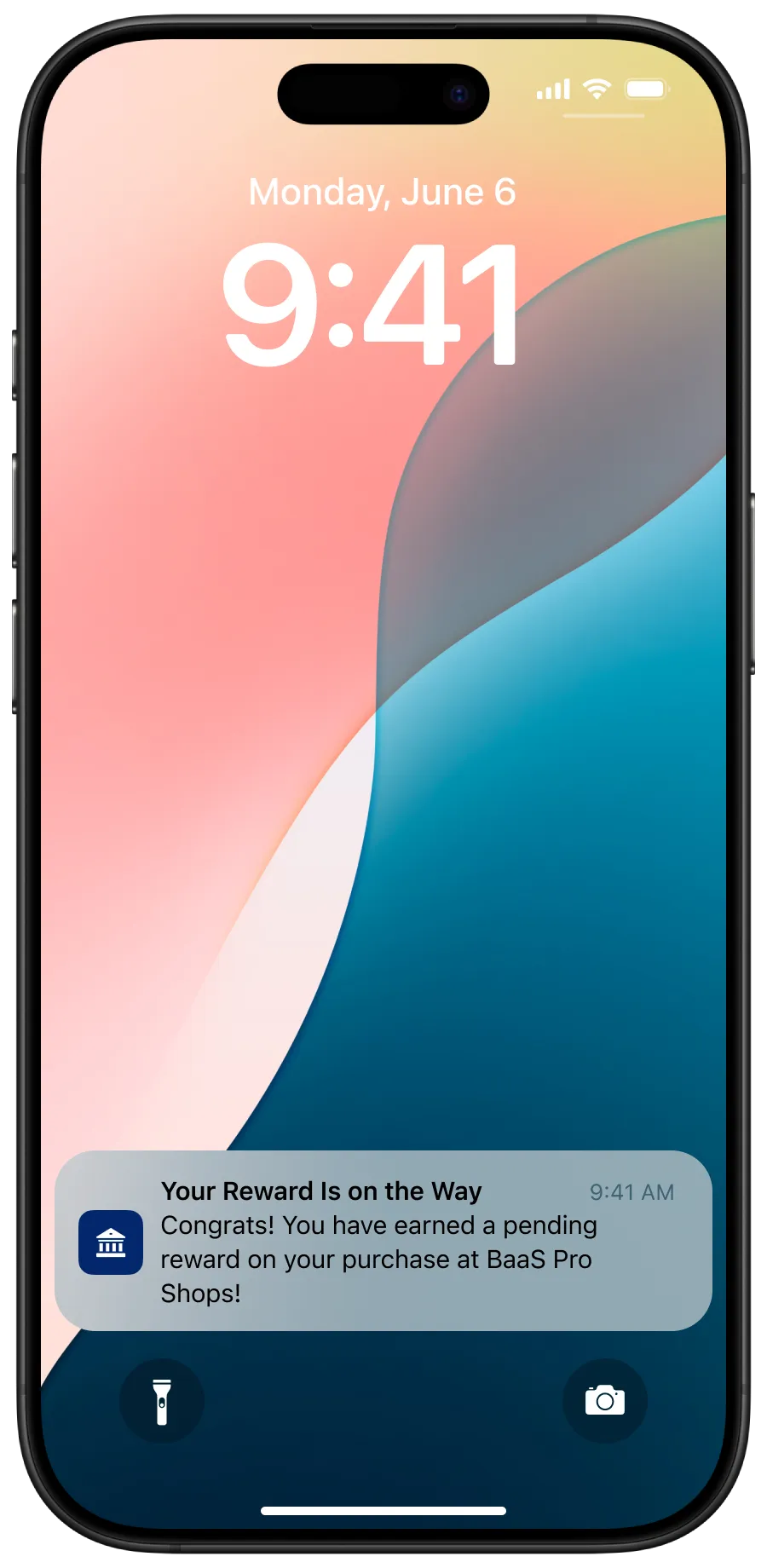
- Use attributes.message to serve the push notification:
- Submit Eligible Settled Transaction
POSTIncoming Transactions Endpoint- Map Rewards offer
attributes.nameto Incoming Transactiondescription
- Ingest Earned Reward Settled Notification Webhook
POSTNotifications Webhook- Authenticate webhook using HMAC Signature Verification
- Delight your user with a rewards confirmation notification!
- Use
attributes.messageto serve the push notification: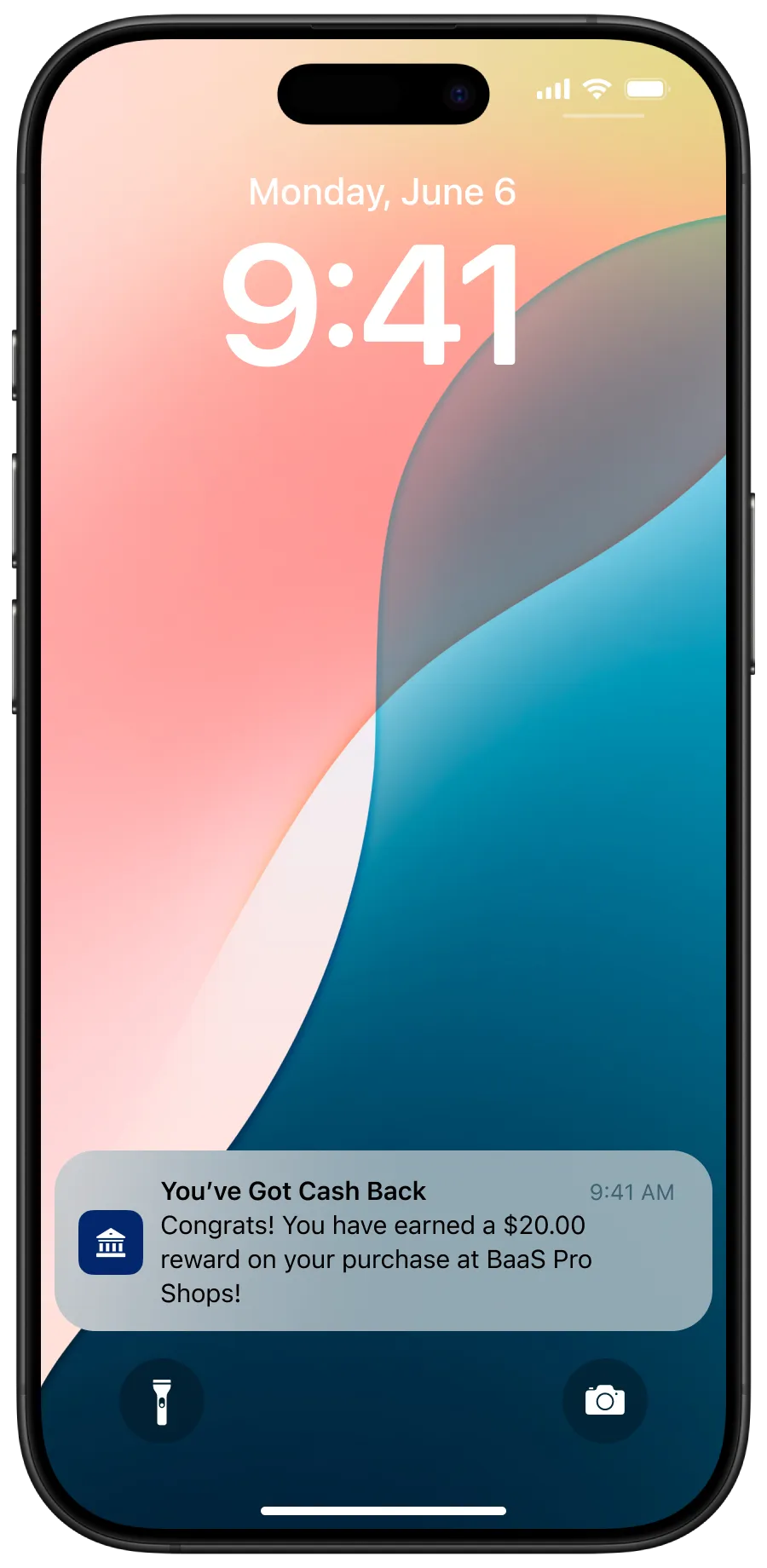
- Use
E. Track User Attributions
For issuers using event tracking via images on the eligibility endpoints:
- To test that attribution is flowing to Kard, please load the asset urls from the endpoint or webhook you would
like to test. We recommend sending both the
IMPRESSIONevent and theVIEWevent and medium, while testing in sandbox. Once you are finished with testing, please provide theeventCode,mediumand the id of the resource related to the asset url, to your AM/solutions architect so that the team can validate. - If an invalid query
eventCodeormediumis supplied the image will return a 400 error with a description of the issue. It is important to note in production image delivery is prioritized so errors will not be returned in production.
For issuers using event tracking via attribution API endpoint:
- To test that attribution is flowing to Kard, please send requests to the endpoint defined above in your sandbox
environment. We recommend sending both the
IMPRESSIONevent and theVIEWevent and medium, while testing in sandbox. Once you receive a response code, please notify your AM and solutions architect to verify that events were correctly posted to Kard. Please provide theeventCode,mediumandtypeIDso that the team can validate.
During the pre-production call, you will be asked to show the end-to-end user flow, and asked to simulate both
an IMPRESSION event and VIEW event by navigating your UX experience. For more information see
Attributions.
User Acceptance Test Cases
As a user, I should be able to successfully:
- Enroll in the rewards program.
- Unenroll from the rewards program.
- Add a card to my profile.
- View a list of eligible ONLINE rewards.
- Submit attribution data points for impressions and views
- View a list of eligible INSTORE rewards.
- Submit attribution data points for impressions and views
- View a list of eligible rewards near me.
- Submit attribution data points for impressions and views
- View Offer Details.
- Submit attribution data points for impressions and views
- Submit a Clearing, Dual Message Transaction.
- Submit an APPROVED(aka AUTH) event to the Incoming Transactions Endpoint
- Submit a SETTLED (aka CLEARED) event to the Incoming Transactions Endpoint
- Submit a Declined, Dual Message Transaction.
- Submit an APPROVED(aka AUTH) event to the Incoming Transactions Endpoint
- Submit a DECLINED event to the Incoming Transactions Endpoint
- Submit a Reversed, Dual Message Transaction.
- Submit an APPROVED(aka AUTH) event to the Incoming Transactions Endpoint
- Submit a REVERSED (aka CLEARED) event to the Incoming Transactions Endpoint
- Submit a Single Message, PIN-debit Transaction.
- Submit a SETTLED (aka CLEARED) event to the Incoming Transactions Endpoint
- Submit a Refund Transaction.
- Submit a RETURNED event to the Incoming Transactions Endpoint
- Receive an Earned Reward Approved Webhook push notification
- Submit attribution data points for impressions and views
- Receive an Earned Reward Settled Webhook push notification
- Submit attribution data points for impressions and views
As a rewards program manager, I should be able to successfully:
- Consume recon files.
- Daily
- Monthly
- Create an Audit Request.
- Get an Audit Request Status.
Marqeta Integrations
Marqeta has it’s own user and transaction management systems. If you are using these to power your platform you can integrate those flows directly with Kard rather than writing custom integrations.
Some key differences in terminology are outlined below, and you can find out more here.
Transactions
Transaction Status Mapping
Kard currently receives the following transaction event types from Marqeta:
Note: The data mapping for the transaction events below also apply to Kard’s Earned Rewards Webhook.
FIPS
FIPS State Abbreviation mappings FIPS codes are numbers which uniquely identify geographic areas